

Patient Registration Forms
General Dentistry
You may preregister with our General Dentistry office by filling out our secure online Patient Registration Form. After you have completed the form, please make sure to press the Complete and Send button at the bottom to automatically send us your information. The security and privacy of your personal data are one of our primary concerns, and we have taken every precaution to protect it.
General Dentistry Patient Registration
Pediatric Dentistry Registration
Pediatric Dentistry Patient Registration
Download Pediatric Dentistry Registration Paperwork HERE!
Orthodontic Dentistry Registration
Orthodontic Dentistry Patient Registration
Download Orthodontic Dentistry Registration Paperwork HERE!
Note to Patient: Upon filling out your first name, last name, email, and at least one phone number field (a valid home or cell phone), a button will appear in the upper right corner titled “Save and Exit“. This button allows you to save and exit your form to complete at a later date. The system will send a registration email to the email provided on the form, so that you may set up a login to go back and finalize your registration form online.
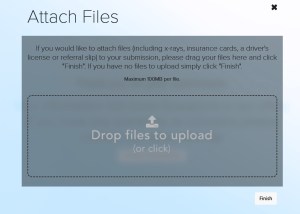
Attaching files to your form submission:
Upon submitting your registration form, you will have the opportunity to attach and update additional files such as scanned copies of your driver’s license, Insurance Cards, a list of current medications, or other pertinent medical documents.
Forms in Spanish
Download General Dentistry Registration Paperwork in Spanish HERE!